Start WyntIQ with the right trial, price, version, and activation path
Get Started

Start WyntIQ the right way.

Use this page as the customer starting point for WyntIQ. Learn the product, review pricing, check version history, request trial access, and understand online/offline activation before deployment.

Four simple steps from interest to activation.

WyntIQ is built for serious operations, so the path is clear: understand the product, request the installer, test the 14-day local trial, confirm pricing, then activate after purchase.

1

Learn How It Works

Understand inventory, demand requests, restocking, roles, PDF reports, QR workflows, audit trails, and offline operating behaviour.

Open How To
2

Request Trial

Submit your real email, organisation, sector, user count, and operating requirement. The installer link is delivered after the request is accepted.

Request Trial
3

Review Pricing

WyntIQ pricing is based on named users. Devices and sites are included, with optional maintenance for future updates.

View Pricing
4

Check Versions

See release history, product improvements, security hardening, bug fixes, and current trial build notes.

View Versions
5

Plan Data Import

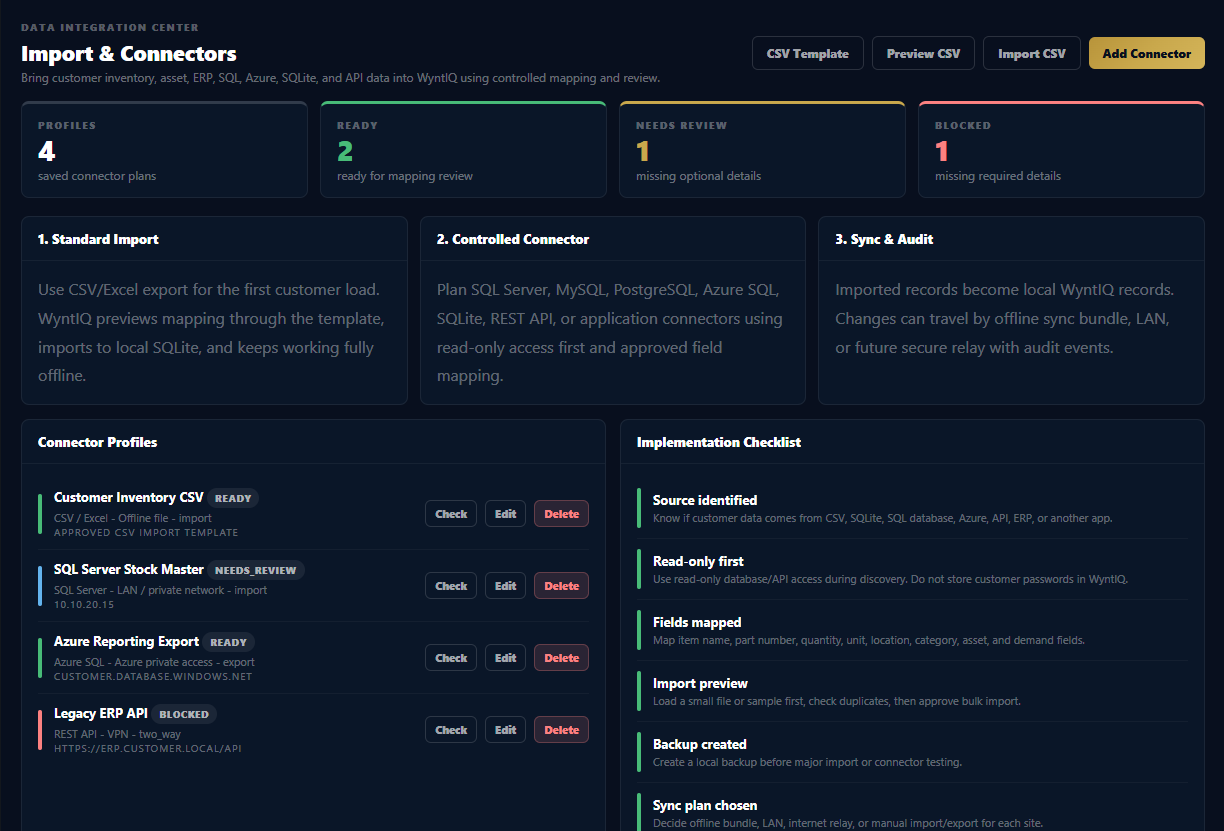
Review how customer CSV, SQL, SQLite, Azure, ERP, API, and application data can be mapped into WyntIQ.

View Integrations

Everything needed before first use.

Customers can use these links to prepare before installing, testing, or requesting a paid activation code.

Trial, activation, and updates.

Trial

14-day local trial

The desktop trial starts automatically after installation. After expiry, access pauses unless extended or converted to paid activation.

Activation

Online and offline

Paid activation can support connected and disconnected working conditions based on approved customer scope.

Updates

Maintenance optional

Optional maintenance gives access to future product updates during the selected term with no additional upgrade fee.

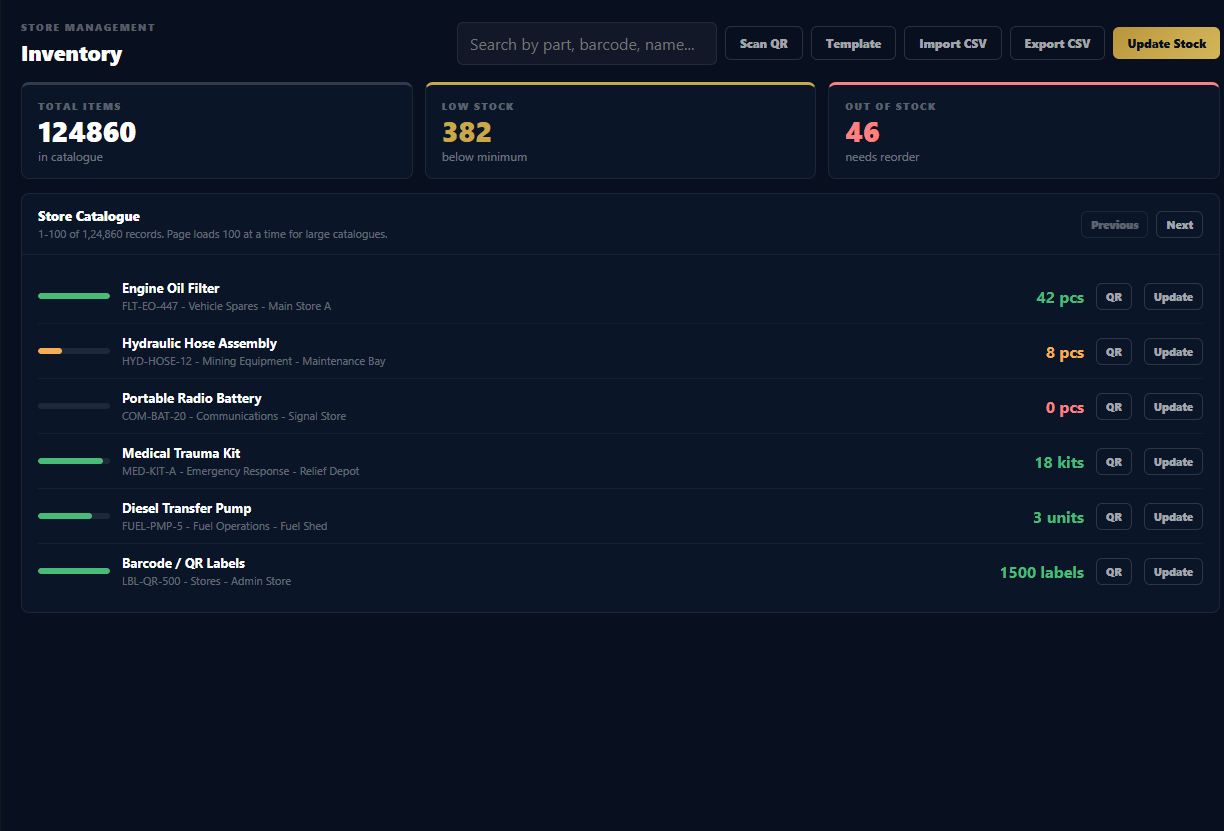
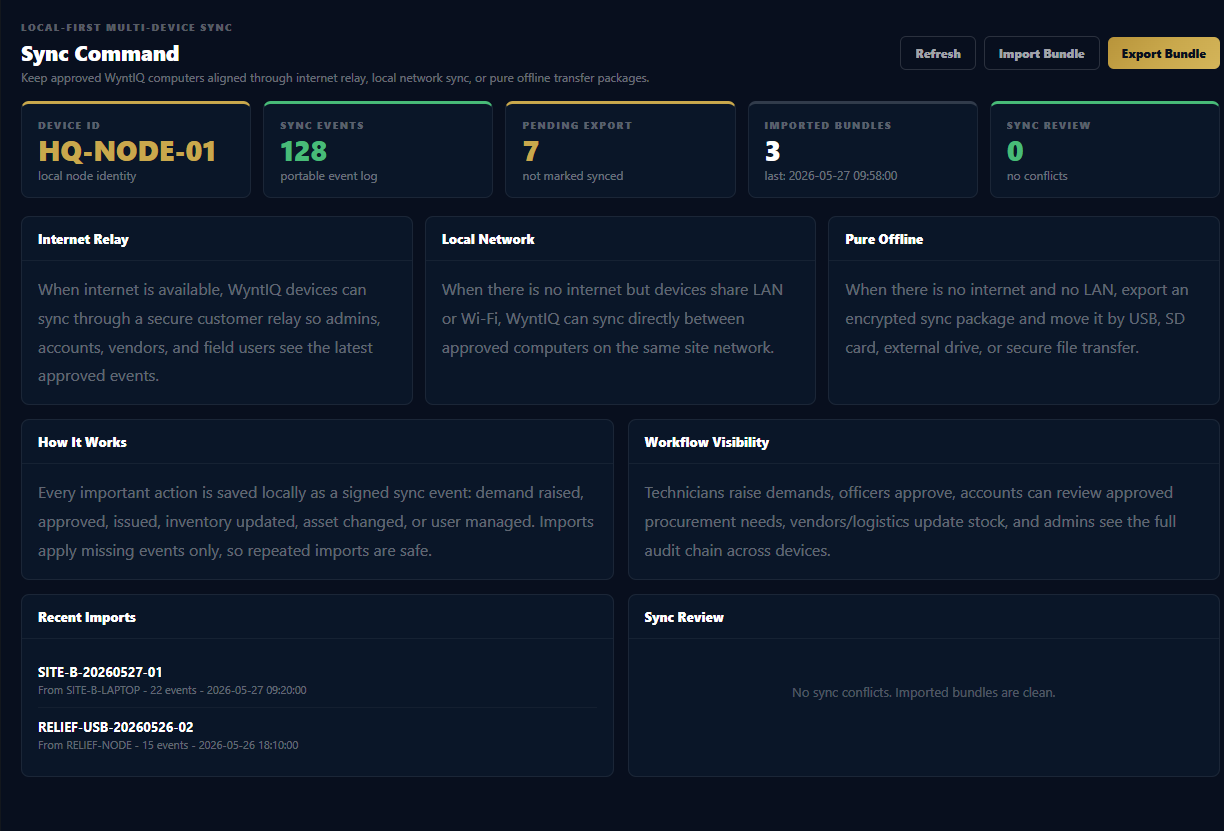
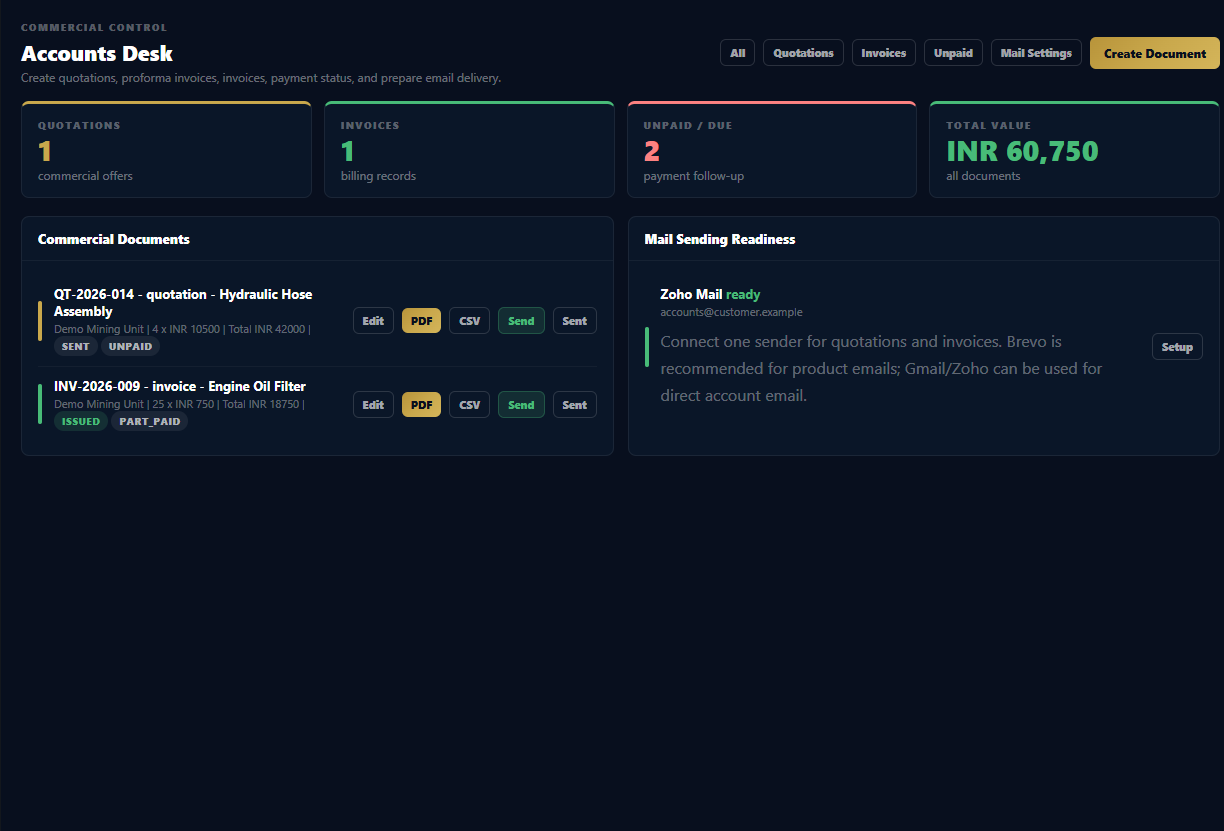
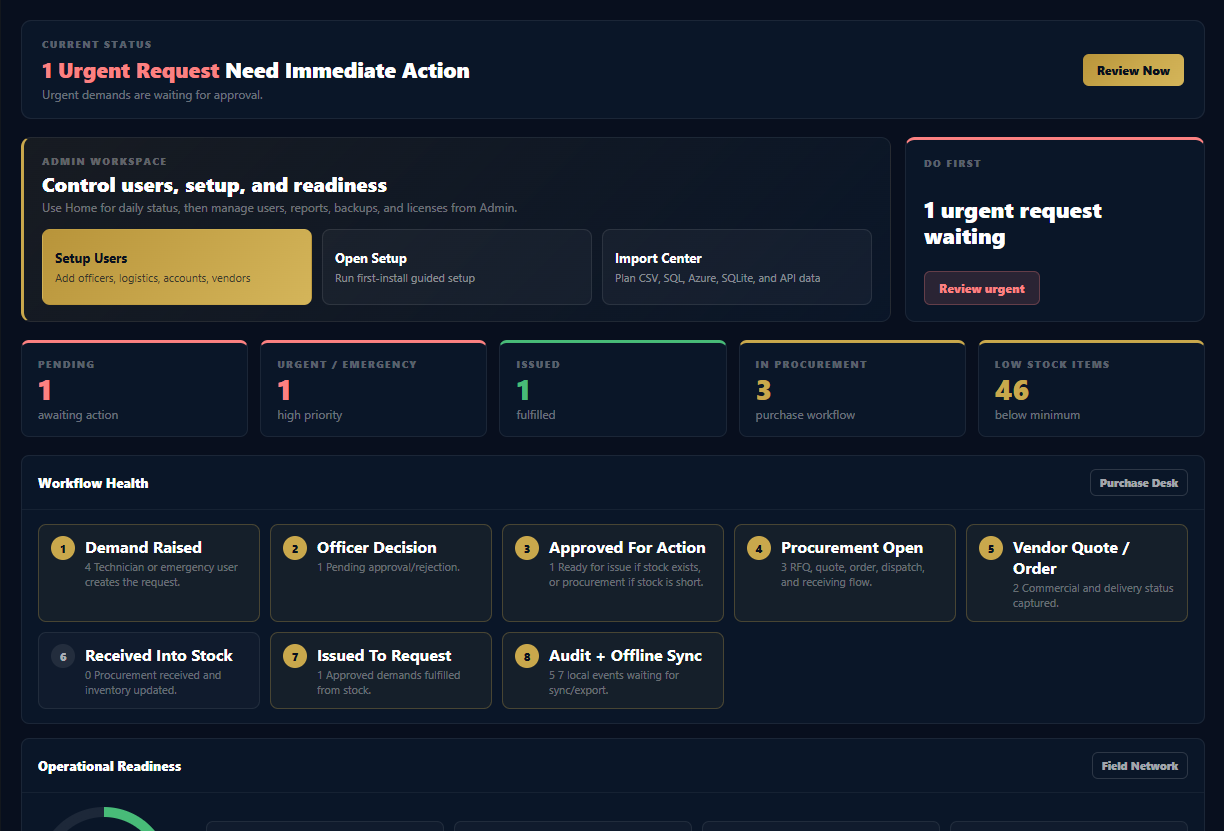
Real WyntIQ screens from the desktop product.

Review the working product areas buyers usually ask to see first: operations dashboard, inventory control, integrations, offline sync, and accounts workflow.
Ready to evaluate WyntIQ?

Tell us your sector, team size, operating environment, and what you want to manage. We will guide the right next step.